ELD Mandate Update: Handling FMCSA ELD Revocations
by Michael Mahler — HMD Trucking
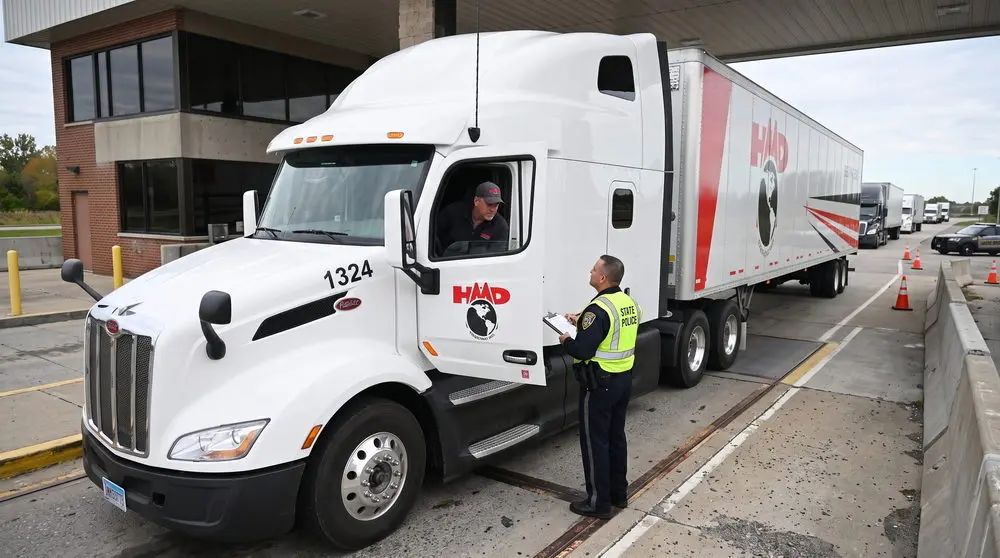
The world of roadside compliance for commercial trucks is taking a rapid technological turn. It isn’t enough for inspection teams and government officials to simply see the logbook on the screen – they now have to verify that the logging hardware itself meets the requirements. With record-high rates of FMCSA ELD revocations coupled with tough enforcement of data transmission, having an improper device becomes one of the easiest ways to get an immediate out-of-service and be hit with costly fines.
At HMD Trucking, we keep track of all ELD mandate updates so that your earnings, safety rating, and fleet operations remain unaffected.
The Wave of FMCSA ELD Revocations: What Went Wrong?
To understand what went wrong, it is important to look at how the initial electronic logging device mandate was made. The problem started with the decision of the Federal Motor Carrier Safety Administration to approach the regulation from the administrative perspective and let vendors self-certify rather than force each vendor to go through rigorous federal testing before placing their products on the market. Thus, an electronics company could read the technical requirements in the mandate, manufacture a product, file the relevant documentation stating that it meets all the criteria, and be listed on the official registered ELD website.
Naturally, such a policy led to the emergence of the wild-west-like market. Multiple startups selling low-cost devices as well as app developers from other countries came to the market to sell devices to independent drivers and small fleets who wanted to pay lower subscription fees. For some time, these products did work. However, as enforcement became stricter, flaws started showing up. Many of these devices did not satisfy the technical requirements. They dropped data, mixed up duty status records, allowed making manual changes that violated federal standards, or simply froze when an officer tried to initiate a web service data transfer.

Regulatory & Enforcement Metric | Prior Years (2024-2025) | Current Year (2026) |
|---|---|---|
Annual Devices Pulled by FMCSA | 25 to 37 Total Devices | Over 56 Revoked by Autumn |
Roadside Enforcement Standard | Warnings & Log Verification | Explicit Out of Service Authority |
Primary Point of Inspection Failure | Driver Navigation Errors | Hardware Data Transmission Failure |
Paperwork Requirement | Printed In-Cab User Manual | Digital Manual Allowed on Device |
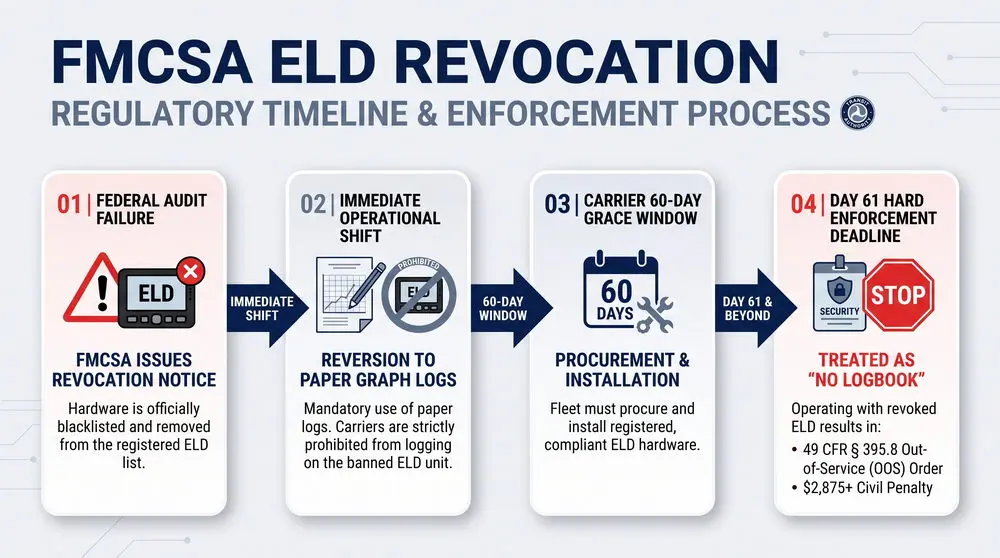
Over the past year, the federal government ran out of patience. Regulators stepped up post-market audits, testing whether registered hardware actually complied with technical standards. The result has been an unprecedented wave of FMCSA ELD revocations. Dozens of widely used devices have been stripped of their certified status and placed on the revoked list.
When a device is revoked, the clock starts ticking immediately. The agency gives carriers a sixty-day grace period to replace the revoked hardware with a compliant model. But during those sixty days, you cannot keep recording driving time on that banned unit. Drivers have to revert to paper graph logs until a new, approved device is installed. If you miss that sixty-day replacement deadline, the consequences are severe. Continuing to operate with a revoked unit is legally identical to having no log at all.
The Core of Recent ELD Mandate Changes
Why are so many devices failing federal audits and roadside inspections? The primary culprit is data transmission.
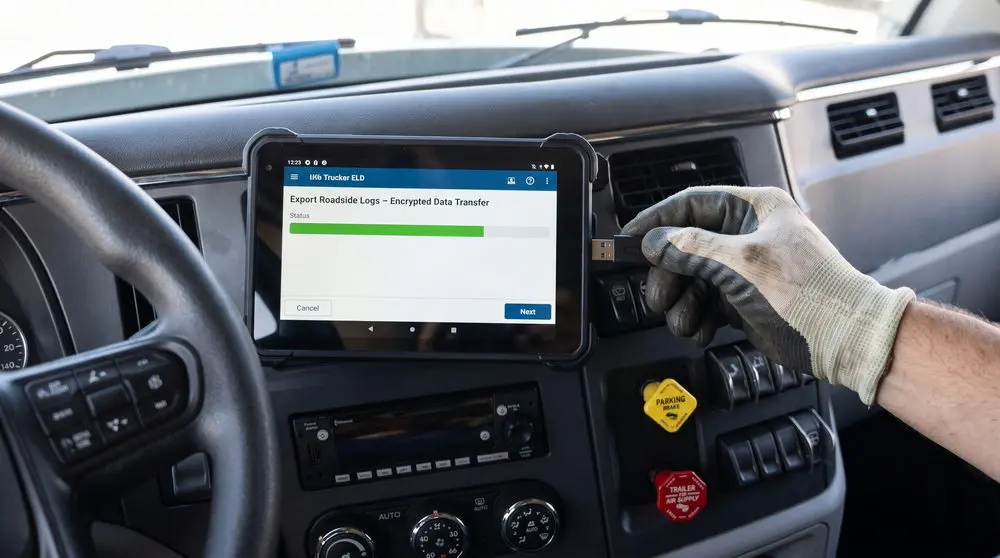
Under the technical specifications laid out in federal rules, your electronic log cannot simply function as an internal digital diary. It must be capable of establishing an instantaneous, error-free data transfer to safety officials at the roadside. Under the latest ELD mandate changes, inspectors are putting hardware through strict communication tests during Level I and Level II inspections.
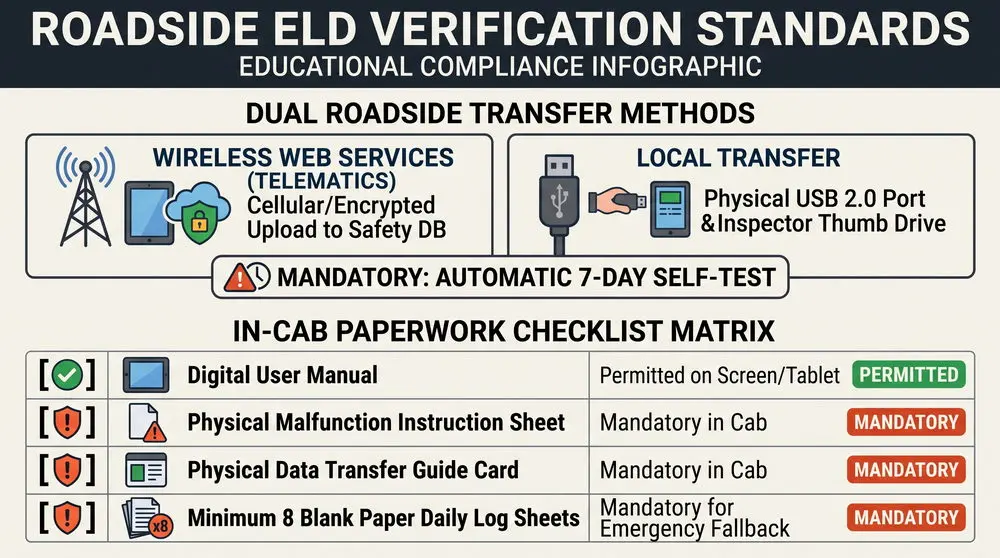
There are two primary methods authorized for roadside data exchange:
Telematics: Wireless web services or secure email transfer that transmits encrypted log files straight from your device to the safety database.
Local Transfer: Direct transfer through a physical USB 2.0 port or a local Bluetooth connection.
Transmission Method | How It Functions at Roadside | Common Reasons for Failure |
|---|---|---|
Wireless Web Services (Telematics) | Uploads encrypted data file directly to safety databases via cellular | Outdated cellular modems (3G/older) or weak signals in rural areas |
USB 2.0 Transfer (Local) | Writes the electronic log file onto an inspector memory stick via port | Incompatible thumb drives, bad physical ports, or disabled drives |
Automatic 7-Day Self-Test | Internal software routine validating transfer capabilities weekly | Poor programming that misses the verification handshake with servers |
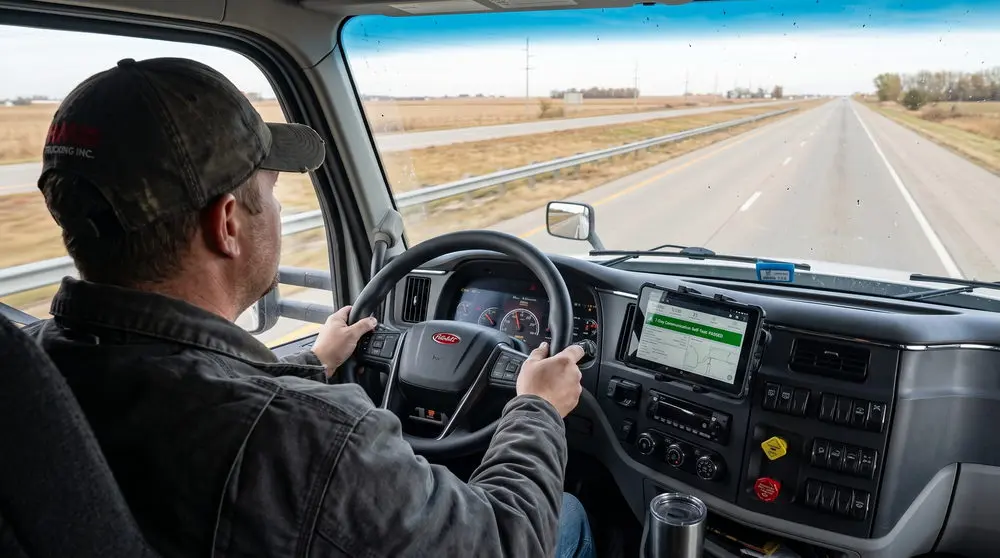
A common issue tripping up drivers is the seven-day verification rule. Federal standards mandate that an ELD must automatically test its own data transfer capabilities every seven days. If a device goes weeks without completing that internal check, it triggers an internal malfunction flag.
Furthermore, many older devices still operating in trucks across America rely on aging cellular networks. As the major wireless carriers retired the older network bands, the older logging devices started losing uninterrupted connectivity. In case a rural-scale inspector asks for web services transfer and your device freezes due to lack of cellular capability or a functional USB backup, you are solely to blame.
From the perspective of safety officials, failure to communicate means failure to log. You might have legal driving hours, perfect breaks, and impeccable paperwork, but when your device fails to send that data file over the web, you are up for violations and potential downtime.
The Real Cost of Non-Compliance: Penalties, Out-of-Service, and Downtime
Every professional driver knows that violations on the road come at a cost. However, a logging device that is not compliant will build up the financial damage faster than any other roadside violation.
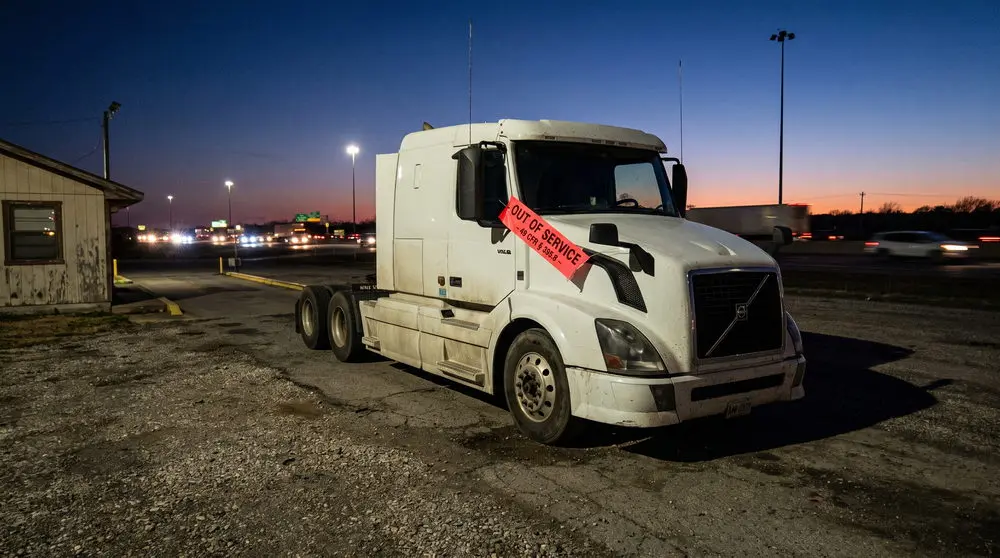
Earlier this year, enforcement agencies have updated their regulations regarding out-of-service orders. Now, if your logging device is found to be on the revoked list, or your hardware has a malfunction, preventing log verification, you can be ordered out of service immediately under federal rule 49 CFR 395.8. The days of getting a simple warning and then fixing the problem back at the terminal are gone.
Violation Type | Regulatory Citation | Typical Financial & Operational Cost |
|---|---|---|
Operating with Revoked ELD | 49 CFR § 395.8(a)(1) | $2,875 baseline fine + immediate out-of-service order |
Failure to Transmit Log Data | 49 CFR § 395.24(d) | Up to $1,500 fine + possible log falsification inquiry |
Missing Blank Paper Logs (x8) | 49 CFR § 395.22(h)(4) | Equipment violation citation; points on safety profile |
Unresolved Hardware Malfunction | 49 CFR § 395.34 | Out of Service order after 8 days without written extension |
Tampering / Ghost Logging | 49 CFR § 395.8(e) | Maximum severity points (10/10) + potential criminal fines |
Let us look into how an out-of-service order impacts your bottom line.
First, there is the civil penalty. The federal fines for operating a vehicle without a valid hours-of-service status start at about $2,875 and can quickly exceed $10,000 for repeat offenders.
Second, your truck stops moving. You cannot deliver your cargo, which exposes you to detention fines, missed delivery windows, and angry shippers.
Third, you lose money due to unplanned downtime. Whether it is paying for roadside service calls, arranging alternative equipment, or layover time compensation, your unexpected downtime will cost you anywhere between $800 and $1,200 per day in lost gross revenue.
Finally, think of the long-term impact of an out-of-service order on your carrier safety score. Hours-of-service violations have a major effect on the Safety Measurement System, and these points remain on your safety record for twenty-four months. As the safety score increases, so does the attention of insurance underwriters. A single out-of-service event can increase your commercial liability rates by thousands of dollars.
What's New In the Cab: Updated in-Cab Paperwork Requirements
Generally speaking, the regulations change in favor of placing more obligations on you. However, this year saw the addition of an actual practical improvement to the current rules. Up until now, all commercial truck drivers using the ELD were required to have a hefty printed version of the ELD user manual in the cab. And if the inspector demanded to see it but there was only an electronic version on your tablet or smartphone, you risked getting a paperwork violation.
This is the point where the regulators decided to update their old requirements. The obligation to have a printed physical copy of the ELD user manual in the cab has been repealed. Drivers now can provide access and show the user manual in digital form – it can be accessed from the screen of the device, a smartphone app, or an onboard tablet.
And yet, it would be naive to believe that the above change allows you to stop providing in-cab paperwork altogether. Though the paper manual can now be digital, there are three specific documents that you will have to bring:
Your Malfunction Instruction Sheet – a paper document listing what you need to do in case the electronic log experiences hardware or software malfunctions.
Your Roadside Data Transfer Sheet – a step-by-step card showing the safety officer how to conduct the electronic data transfer on your device.
Eight blank paper logs – a minimum supply of eight paper daily log sheets to be filled out by hand in case the device fails.
IN-CAB COMPLIANCE QUICK CHECK
[✓] Digital User Manual: Allowed on tablet, smartphone, or dashboard screen.
[✗] Malfunction Sheet: MUST be physically present in the glove box or cab pocket.
[✗] Data Transfer Guide: MUST be physically printed for the inspecting officer.
[✗] 8 Blank Paper Logs: MUST have at least 8 blank grids ready for immediate emergency use.
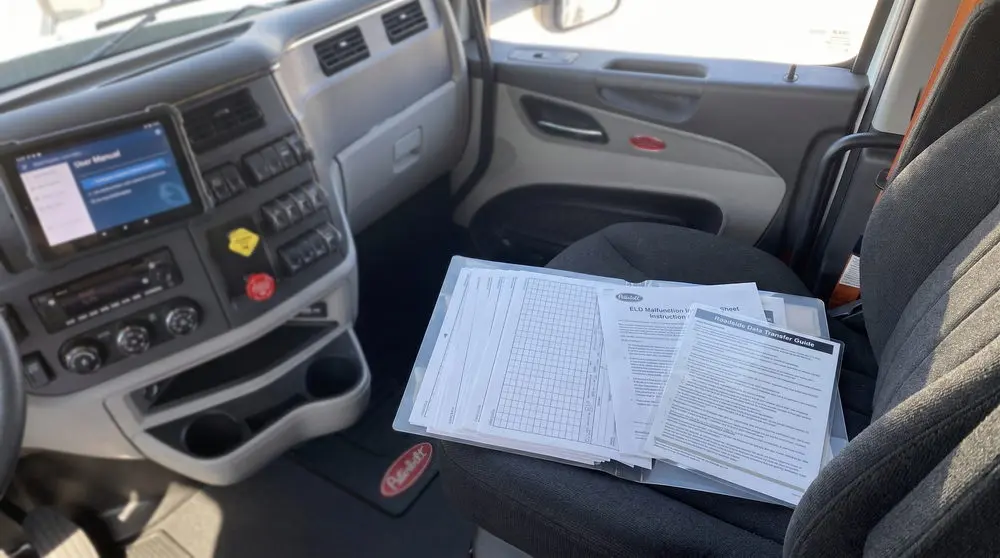
If you get pulled around back at a scale house and an inspector discovers you only have four blank paper logs in your binder, you can be cited. Keeping a dedicated folder in your cab with fresh paper logs and your printed instruction sheets is simple insurance against unnecessary inspection points.
Looking Ahead: What to Expect from the Next ELD Mandate Update
If you think the current round of enforcement is the end of the story, think again. The Department of Transportation is preparing its next major regulatory package, often referred to across the industry as the 'ELD 2.0' rule.
This upcoming ELD mandate update is designed to close loopholes that bad actors have exploited over the past several years. When the original rule was written, mobile technology and telematics were far less advanced than they are today. The forthcoming updates will modernize technical requirements across several core areas:
Stricter Anti-Tampering Measures
One of the things that annoys safety officials is the increasing trend of software exploitation allowing people to adjust their driving time in their own transportation or fiddle with unassigned driving time. Technical standards in the future will include encryption measures, immutable audit trails, and strong software protection that cannot be modified by third-party applications.
Mandatory High-Speed Cellular Architecture
To eliminate the chronic roadside communication failures we discussed earlier, future hardware standards will establish baseline cellular transmission capabilities. Devices will need to support modern high-speed transmission standards with direct failover protocols to prevent data stalls during roadside audits.
Deeper Engine Control Module Integration
Regulators want more accurate tracking of vehicle movement and power cycles. Future standards will demand deeper synchronization between the logging software and the vehicle engine control module, capturing power status, motion thresholds, and precise odometer changes with zero lag time.
These upcoming ELD mandate changes mean that hardware turnover will remain a steady reality in commercial trucking. Fleets and owner-operators that invest in cheap, bare-bones logging boxes will find themselves continually replacing hardware as older units fail to meet evolving federal specifications.

How Fleets and Owner-Operators Stay Protected
You do not need to let regulatory shifts disrupt your schedule or hurt your earnings. Staying ahead of enforcement comes down to building a few disciplined habits into your weekly routine.
Here is the operational playbook we recommend for any carrier or driver looking to stay clean:
Action Step | How to Execute the Safeguard |
|---|---|
1. Check the Live Registry Monthly | Audit your device serial number against FMCSA registered and revoked lists |
2. Audit Your Physical Cab Folder | Confirm you have at least 8 blank logs, transfer sheets, and malfunction guide |
3. Run a Roadside Transfer Drill | Test wireless web services and local USB transfer ports every month |
4. Partner with Proven Providers | Choose established vendors with dedicated development and solid balance sheets |
Audit the FMCSA Registry Monthly
Don’t wait for someone from your vendor to email you some bad news. Set aside just five minutes per month and check the official FMCSA-registered ELDs webpage. Look through both registered and revoked lists using the specific make, model, and your firmware version of the logging device to ensure that your equipment is safe to operate. Once you see that your ELD appeared in the revocation list, you will know you have sixty days to replace it before the trouble starts on the road.
Check Your Emergency Cab Kit
Look inside your side box or your glove compartment now and ask yourself if you have at least eight blank paper log sheets. Are they fresh, unused, and dry? Did you put your printed malfunction instructions and data transfer guidelines there? Having all these organized in a neat, clear plastic file folder will create a good impression when an inspecting officer checks through your cab documents.
Practice Your Data Transfers Before Approaching the Scale
Don’t wait till your state trooper shows up to see if your device can transfer your records right then and there. Coordinate your practice test of transmission with your safety department or fleet manager. Make sure your USB port is free of dust and debris and you have installed the most recent version of your device software.
Go With Established Hardware Suppliers
When looking for a logging device, cheaper is never better. Spending just a few hundred dollars less on a new logging device by an unknown company turns into a false economy, as they could be audited out of the list within the next six months. Partner with well-known technology vendors who have a dedicated team of software developers, great customer support, and sufficient budget to update their hardware according to the evolving regulations.
Key Takeaways for Drivers and Fleet Managers
Revocations are accelerating: Regulators regularly audit logging devices and remove non-compliant hardware from their list. Always verify your hardware against the federal list of currently registered logging devices.
Failure to transmit equals a log failure: In case you cannot provide your logs to the inspecting officer via telematics and USB port, you can be cited for operation without a logbook and a valid record of duty status.
The sixty-day clock is ticking: In case your ELD gets audited and removed from the list, you get sixty days to install new hardware. During these days you are obliged to keep a written logbook.
Stay informed about updated cab paper requirements: your heavy user manual now should be available for viewing on your smartphone or tablet, but still, you have to carry your printed malfunction sheets, your data transfer guidelines, and at least eight blank paper logs.
Invest in good-quality technology: To stay ahead of any future changes in regulations, use trusted hardware providers instead of looking for cheaper and fast-to-become-obsolete alternatives.
Staying Ahead of the Game
The commercial trucking industry in the United States has always been dynamic. From the days of the basic paper logs through the advent of the first-generation electronic logs to today's age of digital audits, the requirements change continuously. However, even as the technology we use in the cab changes, the core mission stays the same – transporting the freight safely, protecting our livelihood, and returning to our families after every haul.
Being aware of all the updates in the ELD mandate and understanding the details of how FMCSA ELD revocations work is just a plain good business practice. Being familiar with all the rules gives you control over your professional life and helps you get rid of the stress when going through an open weigh station.
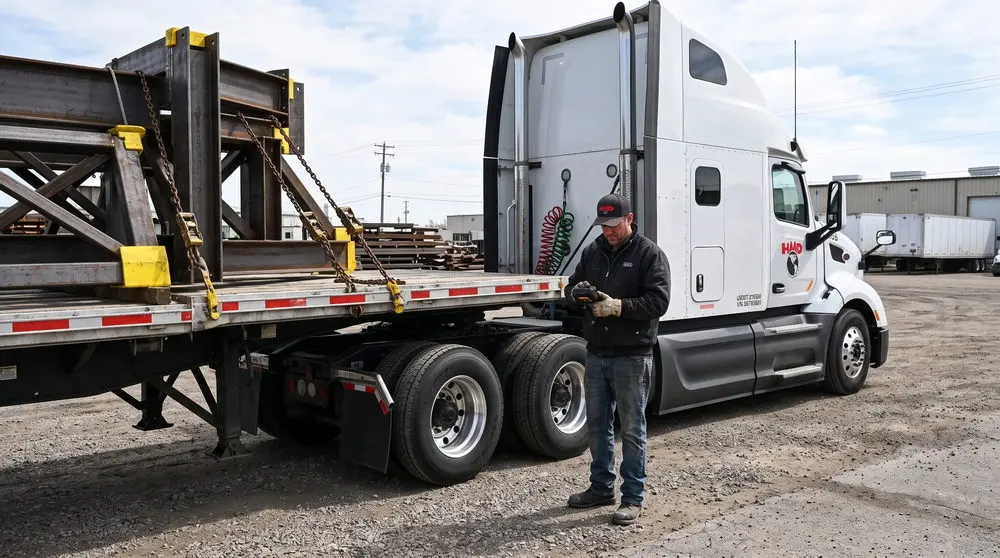
Here at HMD Trucking, we make sure that our drivers have reliable, compliant, late model tractors and advanced technology that will help them do their job successfully. We believe that providing drivers with the right equipment, proper communication, and treating them with genuine respect is the key to successful driving on the road.
Have you had any problems with data exchange at the roadside recently? How is your fleet coping with the latest device updates? Drop by on our social media pages and let us know your thoughts!